
Templates
Metaplex Solana NextJs Tailwind 模板
可下载和可重复使用的模板,利用 Nextjs 和 Tailwind 作为前端框架,同时预装了 Metaplex Umi、Solana WalletAdapter 和 Zustand 全局存储以方便使用。
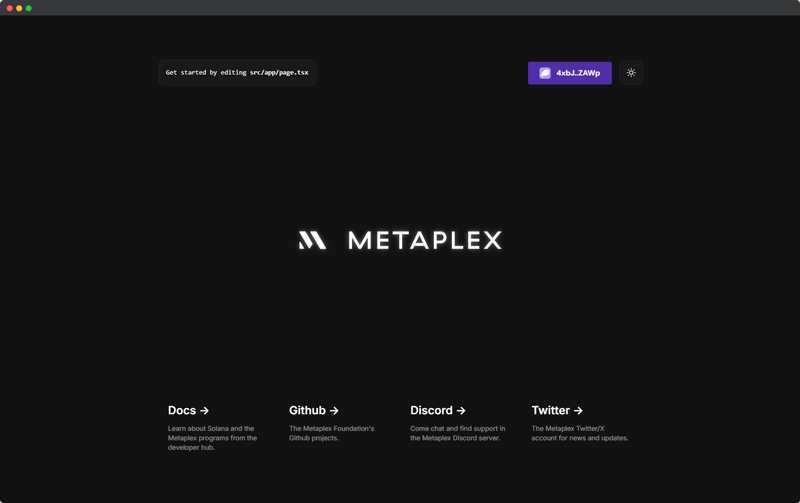
特性
- Nextjs React 框架
- Tailwind
- Solana WalletAdapter
- Metaplex Umi
- Zustand
- 深色/浅色模式
- Umi 辅助函数
安装
我们目前有许多可用于 Next JS 的模板,具有略有不同的配置和 UI 框架/组件库。
Tailwind
git clone https://github.com/metaplex-foundation/metaplex-nextjs-tailwind-template.git
Tailwind + Shadcn
git clone https://github.com/metaplex-foundation/metaplex-nextjs-tailwind-shadcn-template.git
以下部分涵盖此页面上列出的所有模板共享的常见功能。此处不包括特定于模板的功能;有关各个模板的详细文档,请参阅相应的 GitHub 存储库。
设置
更改 RPC
您可以按自己的意愿将 RPC url 设置到项目中,无论是通过:
- .env
- constants.ts 文件
- 直接硬编码到 umi 中
在此示例中,RPC url 被硬编码到 src/store/useUmiStore.ts 第 21 行的 umiStore umi 状态中。
const useUmiStore = create<UmiState>()((set) => ({
  // Add your own RPC here.
  umi: createUmi("https://api.devnet.solana.com").use(
    signerIdentity(
      createNoopSigner(publicKey('11111111111111111111111111111111'))
    )
  ),
  ...
}))
为什么选择 Zustand?
Zustand 是一个全局存储,允许您从钩子和常规状态获取中访问存储状态。
通过将 umiInstance 存储在 zustand 中,我们可以在 .ts 和 .tsx 文件中访问它,同时通过其他提供程序和钩子(如 walletAdapter)更新状态。
虽然通常更容易使用下面的辅助方法来访问 umi,但您也可以通过自己调用 umiStore 状态来手动访问状态方法。
当直接获取 umi 状态而不使用辅助函数时,它将只获取 umi 实例而不是最新的签名者。按设计,当 walletAdapter 更改状态时,umiStore 中 signer 的状态会更新,但不会自动应用于 umi 状态。这种保持签名者和 umi 实例分离直到显式组合的行为可以在 umiProvider.tsx 文件中看到。相比之下,umi 辅助函数总是拉取 signer 状态的新实例。
// umiProvider.tsx snippet
useEffect(() => {
  if (!wallet.publicKey) return
  // When wallet.publicKey changes, update the signer in umiStore with the new wallet adapter.
  umiStore.updateSigner(wallet as unknown as WalletAdapter)
}, [wallet, umiStore])
在 .tsx 中访问 Umi
// Pulls the umi state from the umiStore using hook.
const umi = useUmiStore().umi
const signer = useUmiStore().signer

umi.use(signerIdentity(signer))
在 .ts 中访问 Umi
// Pulls umi state from the umiStore.
const umi = useUmiStore.getState().umi
const signer = useUmiStore.getState().signer

umi.use(signerIdentity(signer))
辅助函数
位于 /lib/umi 文件夹中,有一些预制的辅助函数可以使您的开发更轻松。
Umi 辅助函数分为几个区域,可以在不同的场景中调用。
交易辅助函数
sendAndConfirmWalletAdapter()
将交易传递到 sendAndConfirmWalletAdapter() 将发送交易,同时从 zustand umiStore 拉取最新的 walletAdapter 状态,并将签名作为 string 返回。这可以在 .ts 和 .tsx 文件中访问。
该函数还提供并锁定 blockhash、send 和 confirm 的承诺级别(如果提供)。默认情况下,如果没有传递值,则使用 confirmed 的承诺级别。
还有一个 skipPreflight 标志,如果您需要在链上调试失败的交易,可以启用它。有关交易错误的更多信息,您可以查看本指南 如何诊断 Solana 上的交易错误。
sendAndConfirmWalletAdapter() 通过 setComputeUnitPrice 指令为优先费用做好准备。这些应该根据您的情况进行审查并可能调整或删除。
import useUmiStore from '@/store/useUmiStore'
import { setComputeUnitPrice } from '@metaplex-foundation/mpl-toolbox'
import { TransactionBuilder, signerIdentity } from '@metaplex-foundation/umi'
import { base58 } from '@metaplex-foundation/umi/serializers'


const sendAndConfirmWalletAdapter = async (
  tx: TransactionBuilder,
  settings?: {
    commitment?: 'processed' | 'confirmed' | 'finalized'
    skipPreflight?: boolean
      }
) => {
  const umi = useUmiStore.getState().umi
  const currentSigner = useUmiStore.getState().signer
  console.log('currentSigner', currentSigner)
  umi.use(signerIdentity(currentSigner!))

  const blockhash = await umi.rpc.getLatestBlockhash({
    commitment: settings?.commitment || 'confirmed',
  })

  const transactions = tx
    // Set the priority fee for your transaction. Can be removed if unneeded.
    .add(setComputeUnitPrice(umi, { microLamports: BigInt(100000) }))
    .setBlockhash(blockhash)

  const signedTx = await transactions.buildAndSign(umi)

  const signature = await umi.rpc
    .sendTransaction(signedTx, {
      preflightCommitment: settings?.commitment || 'confirmed',
      commitment: settings?.commitment || 'confirmed',
      skipPreflight: settings?.skipPreflight || false,
    })
    .catch((err) => {
      throw new Error(`Transaction failed: ${err}`)
    })

  const confirmation = await umi.rpc.confirmTransaction(signature, {
    strategy: { type: 'blockhash', ...blockhash },
    commitment: settings?.commitment || 'confirmed',
  })
  return {
    signature: base58.deserialize(signature),
    confirmation,
  }
}

export default sendAndConfirmWalletAdapter
Umi 状态
umiWithCurrentWalletAdapter()
umiWithCurrentWalletAdapter 从 umiStore 获取当前 umi 状态以及当前 walletAdapter 状态。然后可以使用它来创建交易或使用需要当前钱包适配器用户的 umi 执行操作。
可以在 .ts 和 .tsx 文件中使用
import useUmiStore from '@/store/useUmiStore'
import { signerIdentity } from '@metaplex-foundation/umi'

const umiWithCurrentWalletAdapter = () => {
  // Because Zustand is used to store the Umi instance, the Umi instance can be accessed from the store
  // in both hook and non-hook format. This is an example of a non-hook format that can be used in a ts file
  // instead of a React component file.

  const umi = useUmiStore.getState().umi
  const currentWallet = useUmiStore.getState().signer
  if (!currentWallet) throw new Error('No wallet selected')
  return umi.use(signerIdentity(currentWallet))
}
export default umiWithCurrentWalletAdapter
umiWithSigner()
umiWithSigner 允许您将签名者元素(generateSigner()、createNoopSigner())作为参数传入,然后将其分配给当前存储在状态中的 umi 实例。当您想要使用私钥或 generatedSigner/createNoopSigner 的 umi 实例时,这很有用。
可以在 .ts 和 .tsx 文件中使用
import useUmiStore from '@/store/useUmiStore'
import { Signer, signerIdentity } from '@metaplex-foundation/umi'

const umiWithSigner = (signer: Signer) => {
  const umi = useUmiStore.getState().umi
  if (!signer) throw new Error('No Signer selected')
  return umi.use(signerIdentity(signer))
}

export default umiWithSigner
使用辅助函数的示例交易
在 /lib 文件夹中,您将找到一个 transferSol 示例交易,它利用 umiWithCurrentWalletAdapter() 获取 umi 状态和使用 sendAndConfirmWalletAdapter() 发送生成的交易。
通过使用 umiWithCurrentWalletAdapter() 从 umi 存储中拉取状态,如果我们的任何交易参数需要 signer 类型,这将自动从使用当前 walletAdapter 用户生成的 umi 实例中拉取。在这种情况下,from 账户由连接到 umi(walletAdapter)的当前签名者确定,并为我们自动推断到交易中。
然后通过使用 sendAndConfirmWalletAdapter 发送交易,签名过程将使用 walletAdapter 并要求当前用户签署交易。然后交易将发送到链上。
// Example of a function that transfers SOL from one account to another pulling umi
// from the useUmiStore in a ts file which is not a React component.

import { transferSol } from '@metaplex-foundation/mpl-toolbox'
import umiWithCurrentWalletAdapter from './umi/umiWithCurrentWalletAdapter'
import { publicKey, sol } from '@metaplex-foundation/umi'
import sendAndConfirmWalletAdapter from './umi/sendAndConfirmWithWalletAdapter'

// This function transfers SOL from the current wallet to a destination account and is callable
// from any tsx/ts or component file in the project because of the zustand global store setup.

const transferSolToDestination = async ({
  destination,
  amount,
}: {
  destination: string
  amount: number
}) => {
  // Import Umi from `umiWithCurrentWalletAdapter`.
  const umi = umiWithCurrentWalletAdapter()

  // Create a transactionBuilder using the `transferSol` function from the mpl-toolbox.
  // Umi by default will use the current signer (walletAdapter) to also set the `from` account.
  const tx = transferSol(umi, {
    destination: publicKey(destination),
    amount: sol(amount),
  })

  // Use the sendAndConfirmWalletAdapter method to send the transaction.
  // We do not need to pass the umi stance or wallet adapter as an argument because a
  // fresh instance is fetched from the `umiStore` in the `sendAndConfirmWalletAdapter` function.
  const res = await sendAndConfirmWalletAdapter(tx)
}

export default transferSolToDestination